

I have decided to start being a little more structured, a little tighter with my writing now that I am growing older, taking you on a journey but also getting to the point. And the point here is most of you have probably never heard of Antigravity CLI, you’ve probably heard of the term Antigravity from that one gun in Half-Life 2.
And this is perfectly normal. During the numerous talks that I have given over the years (many of the at Google events, btw) I have scarcely had half the room raise their hands when I even asked them if the knew what Gemini was. So first, here’s a little context for you before we get to the meat of this blog.
Background
As with most Google products, Gemini and Antigravity have undergone a lot of transformations over the years, and please do not expect this diagram to be a fully accurate description of all that has happened in the last three years, just my perception and experience of it:
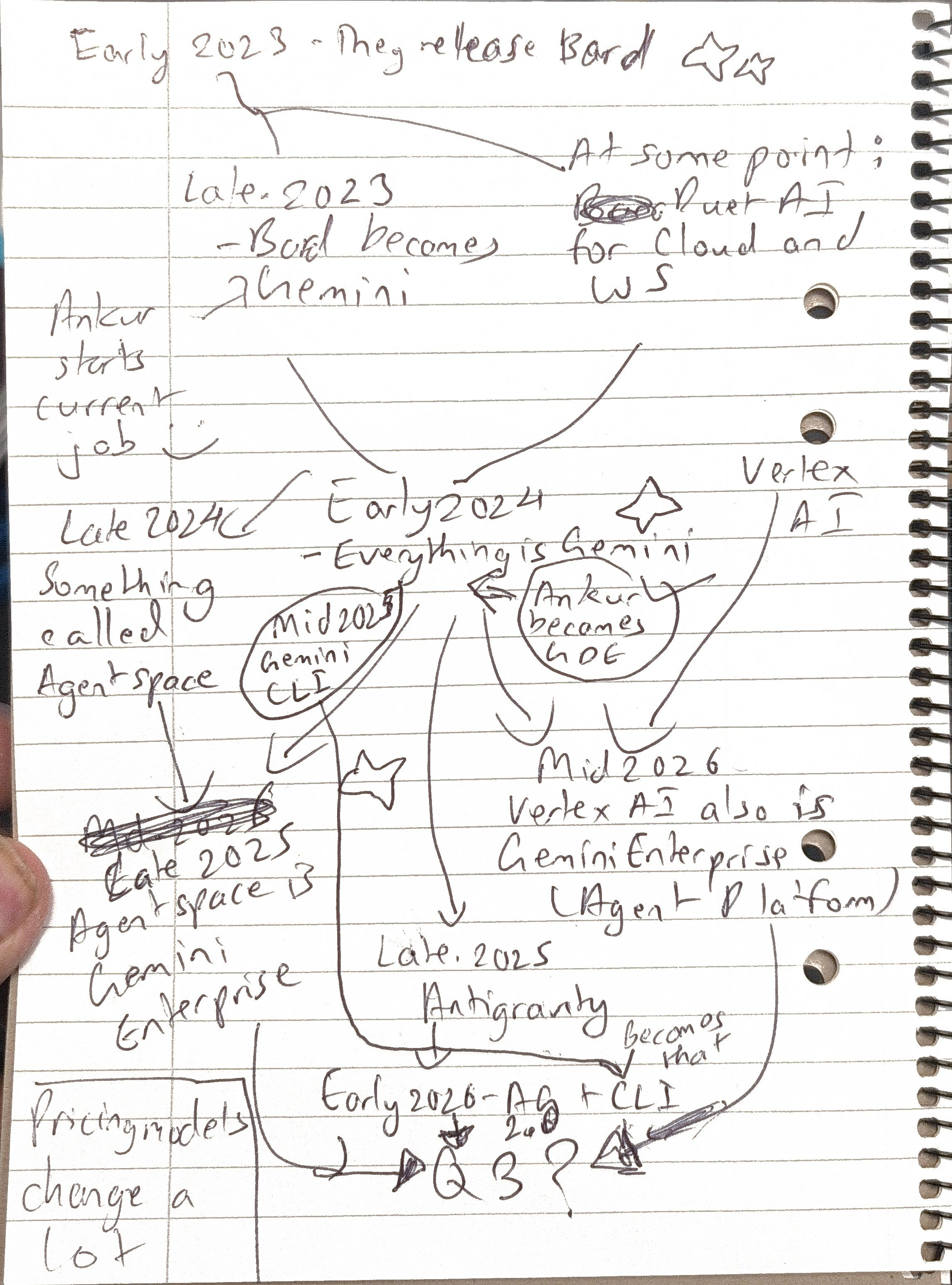
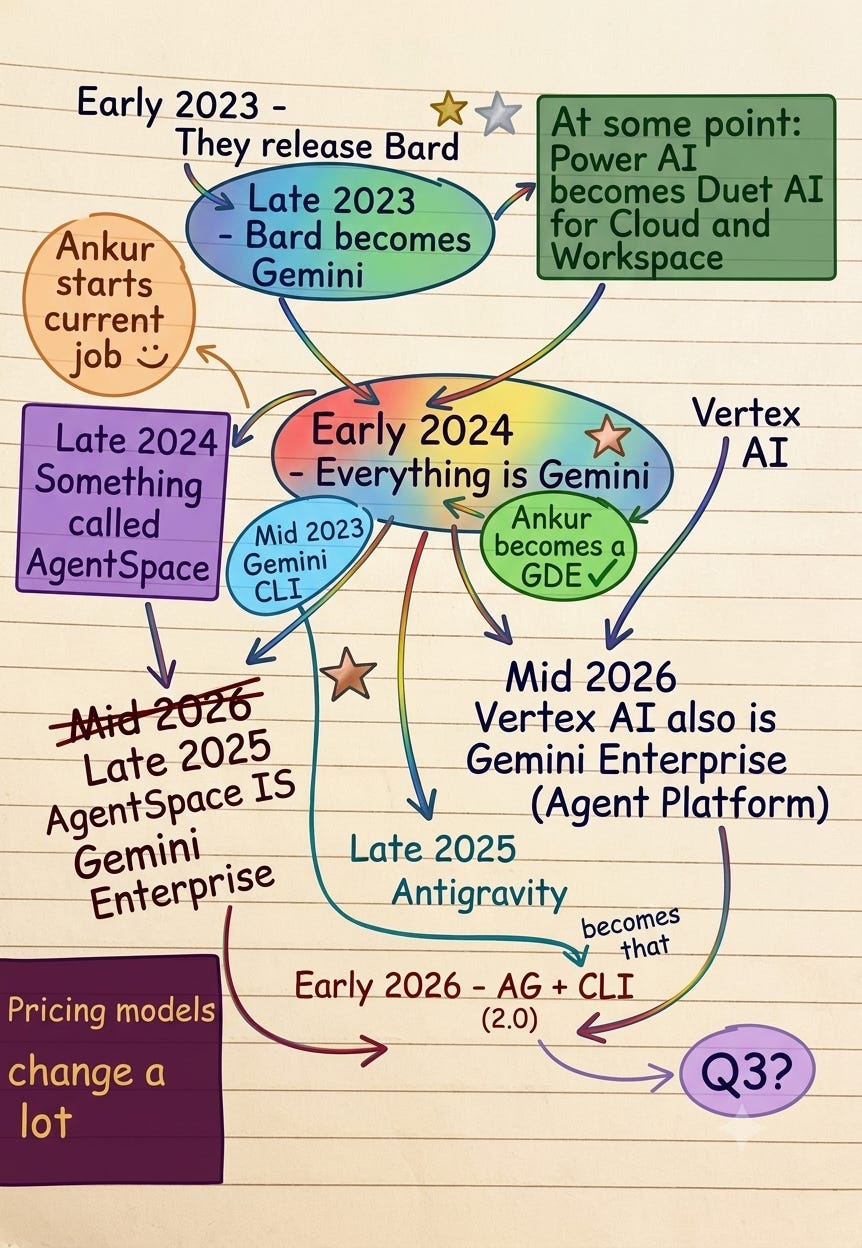
As you can see, it has been a long and winding road, even in the summary. And Antigravity as a concept ( a model and platform specifically designed for coding with all the add-ons that come with it) isn’t even a year old. Antigravity CLI is the successor to Gemini CLI which many people considered the best way to use the Gemini API, and honestly, it was. In my opinion, Antigravity CLI is a great successor and we’ll see why it and CLI tools in general should be used more by the general public (if they will or wont, we’ll see). The use case we will explore is similar to the one I used to make my timeline diagram above nicer, just a few more pieces.
Getting Started
Let’s not dwell on the setup for too long, let’s just list out what you will need to make this work:
Any computer with a CLI (any sort of terminal whatsoever).
A Google account (if you don’t have any AI Pro licenses or Google Cloud projects enabled they will train on your data)
You can find the installation instructions (which is literally one line) here
The Start
Here’s the repo (clever name, I know): https://github.com/ankurr0y/antigravity-cli-element-composer
It’s literally just a sample corporation, we’re not overcomplicating this, we’re going to let the AI figure out a lot of this.
In this exercise we will be using the CLI “raw” without asking about any skills, but I would highly recommend for many tasks to have specialized skills and I would also highly recommend this skills repository (very helpful): https://github.com/sickn33/agentic-awesome-skills
But again, we are going to let the CLI do the work now, so lets not even clone the repo, lets let the Antigravity CLI do it for you.
First type in agy in the command line of your choice:
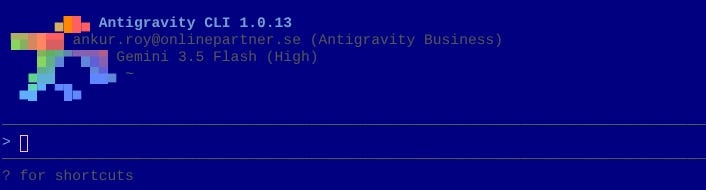
You’ll get something similar to this if you’re configured with your Google account, otherwise do the step in the docs I presented to get there.
Now type the following command:
Clone this repo: https://github.com/ankurr0y/antigravity-cli-element-composerYou’ll begin getting prompts like this:

That’s because 1. it knows how to clone a repo and 2. it will ask you permission every time to run a command instead of running it itself. You can skip this if you just open Antigravity with this setting:
agy --dangerously-skip-permissionsBut that’s at your own risk. And how you do it here is not important to the end result since, and here’s the kicker: your results will be completely different from mine, even with the same prompt. Especially on something like this, if its a result you can live with, that’s what you take with AI (and those are the use cases where you should use it).
The next prompt:
Make a presentation about Sample Co in powerpoint,
use the company logo in the jpeg on every slide. Make the presentation as professional as possible
Now in my case, it wrote a script in Python to read from the doc and put it into a powerpoint. And it worked quite well, takes 10 seconds approximately if you’re using Gemini 3.5 Flash. It even created a transparent version of the company logo to use. But here’s the thing, something was wrong:
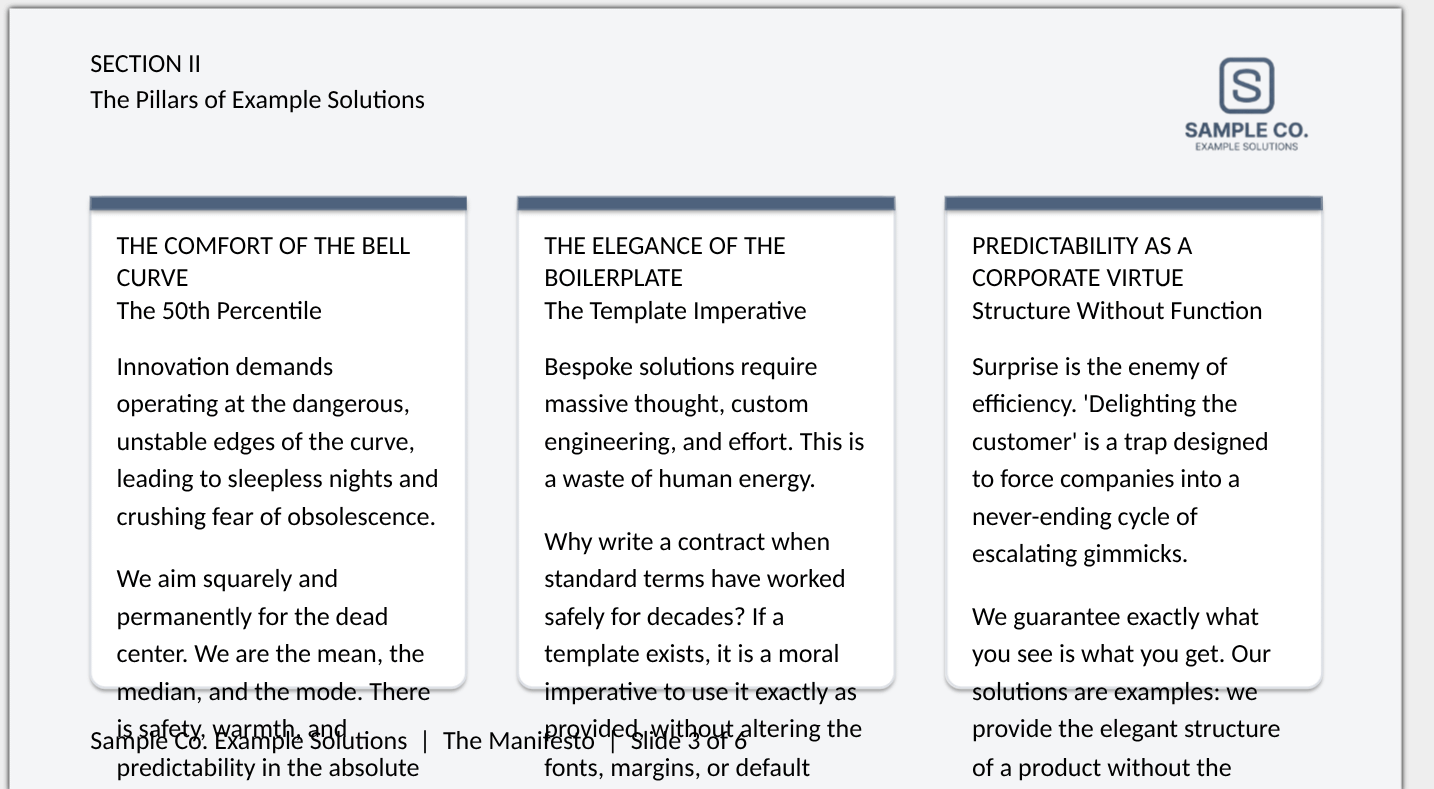
Cant have that in a slide. I can easily fix this, but lets let the AI have a crack at it, and in that spirit I uploaded this same screenshot into the folder and told it to improve on its design
Have posted a screenshot of a format mistake at iter1_error.png. Fix this formatting for all slidesSo lets see what happened then:
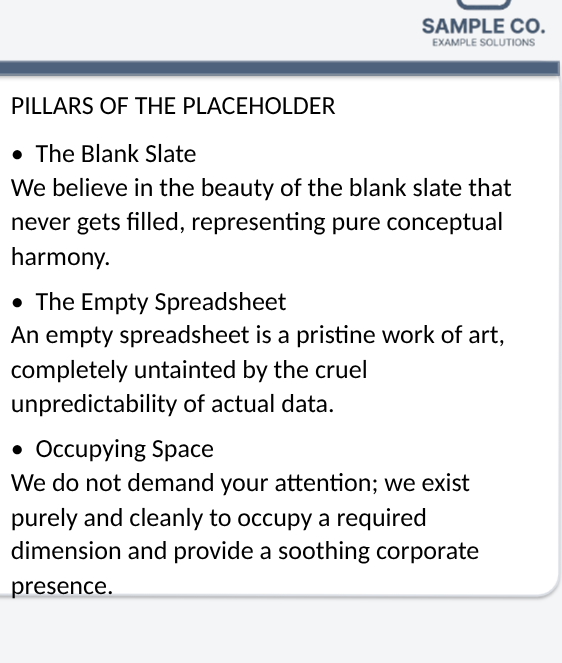
Better than before, but lets give it one more go.
I have now posted iter2_error.png for the next iteration, its better, but needs a little fixingAnd this final iteration I was happy with! You can find it and the rest of the assets produced on the other branch (result) of the repo (the CLI pushed it).
Conclusion
This was perhaps not the most succinct way to describe the Antigravity CLI, nor the full showcase of its abilities (try it out on a bigger codebase or a larger creative project). But it does show off that it is a great tool to solve these minor problems for you. Now, of course you can say, why not just use the Claude or Gemini UIs? Well, those are on the Internet, you can run this locally, and with your repository or even you documents! And you may also say “isn’t iterating kind of time consumin?” to which I would say it consumes less time and significantly less of your energy than would have otherwise been put into the processing of this information. Now, of course, what’s written needs to be double-checked but that’s almost always the case.
I will say, for more critical things, this is not for critical things, this is for uncritical things that should be treated as such, not everything is at the same level of importance, and the more you can shut out the mundane the better (just make sure it is actually mundane). Or as our friends at the Sample Co Solutions company would say:
“Lower your standards. Embrace the boilerplate. Stop striving for the exceptional and sink comfortably into the warm, inviting embrace of the unremarkable.”
Often this is enough, do something cool with the time you save.