


Background
In the modern realm of JavaScript/TypeScript frameworks, the choices available to your average Frontend developer are vast. There is, of course, the Big 3: React, Angular and Vue. However, that doesn’t mean that there isn’t room for more.
Svelte (pronounced Sfelt) is one such framework. It is simpler than the other frameworks, somewhat akin to the basic HTML, CSS, JS trinity that is used by the budding web developer before they discover frameworks. Think of Svelte as offering almost the same amount of power as the major frameworks, but being much simpler to learn and compile (a major emphasis of the developers of Svelte).
Svelte has become one of the fastest rising new stars in the web framework game, being used by the likes of the New York Times, Chess.com and Rakuten. The question now lies, how can we deploy Svelte? Well, lets find out.
Building the Svelte application
The best way to build the Svelte application is from the Svelte website itself (link here). It contains a REPL(Read-Evaluate-Print Loop) environment which those who are familiar with sites like Replit should be familiar with. You can build you own Svelte application here or use one of the many examples which are posted there.
To run this application locally, simply download the REPL as a zip file (the download button is there) and unzip it. Then, after opening a terminal inside of the unzipped directory run the npm install command to install gather all the node dependencies and then the npm run dev command in order to run the localhost server. It will open on localhost:8080.
The same information can be found in greater detail in this developer’s blog on the official Svelte site.
Generating a static version of Svelte app and deploying it into the S3 bucket
To build a static version of the Svelte application, simply go to the terminal in the same directory with the application as before. Then type in the npm run build command in order to generate the static files in the /public directory.
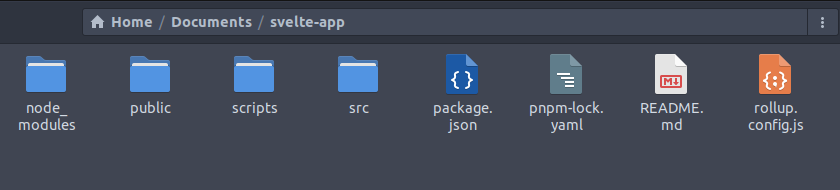
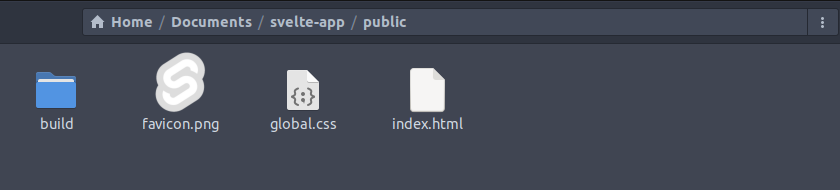
Then, create an S3 bucket with the setup for hosting a static website. Follow these instructions from AWS in order to create one. The interior of public folder looks like this:
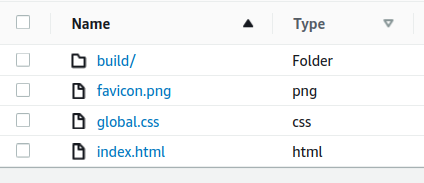
Then, when they are uploaded into the S3 bucket, they are shown like this:
Then, at <your-bucket-name-here>.s3-website-<region-name-here>.amazonaws.com you will find the static version of your Svelte application.
Conclusion
So, this is kinda simple. In fact this is very, very simple compared to the DevOps required for some other stuff. But, that is kind of the point of Svelte and of S3 (which stands for Simple Storage Service, after all) and it shows that you can deliver some effective web-based solutions with very simple, elegant methods.