

So, I contributed my first piece of code to an open source project over the weekend. I know, this is usually something done by our prodigal 7-year-old overlords who learned how to code from the womb, but its pretty exciting for me and I wanna share.
So here are the steps I followed on that journey:
Step 1: Finding a repo to contribute to
This wasn’t too hard. GitHub has a few earmarked for contributions. You can find them here. I chose Django because I know Django very well.
Step 2: Figuring out how to install a development version
You do most of the work on the development version of you repository. For Django, I forked the Django repository. Then, I read the steps to contribute on Django. Installing the development version took a little bit of figuring out but I managed it. It is all in the contribution steps. Also, when working on the ticket, create a branch with the ticket number and later pull request with that branch. Makes everything easier.
Step 3: Finding a ticket
For newcomers, Django recommends using a ticket found in the “easy pickings” section of their ticket archive. (Link here) I got ticket #33589.
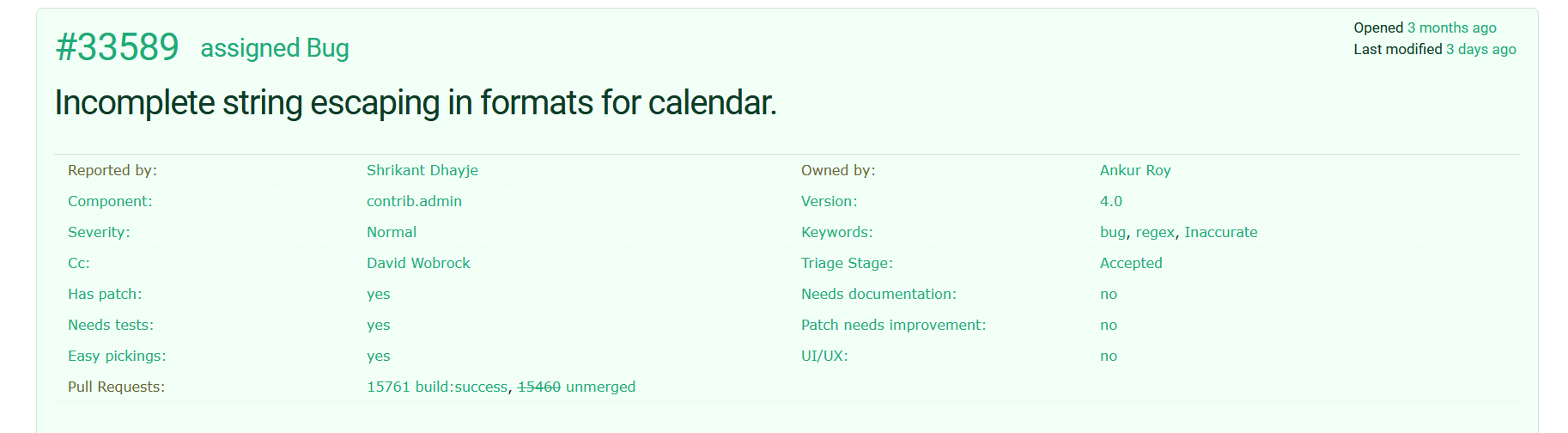
Next, I found the bug that the ticket described and then:
Step 4: Working on the ticket
The ticket involved the date-time calendar formatting taken from the Django settings. See, when you take a \ from plaintext, to translate it into a \ in JavaScript, you must write \\ instead. This will give you a single \. There was a function to handle this for escape characters line \n, but it only handled the first escape character as opposed to all of them. Here is the change I made:
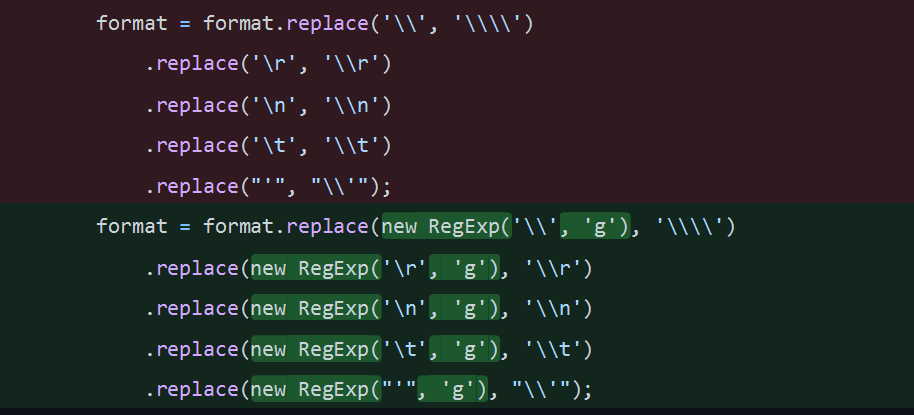
Pretty cool, right? But that is not the end of it.
Step 5: Push the changes and make a pull request, then get feedback
You cant just add your stuff and expect people to approve it, its quite a process. First I made the pull request. Then, I got this message from one of the senior contributors:
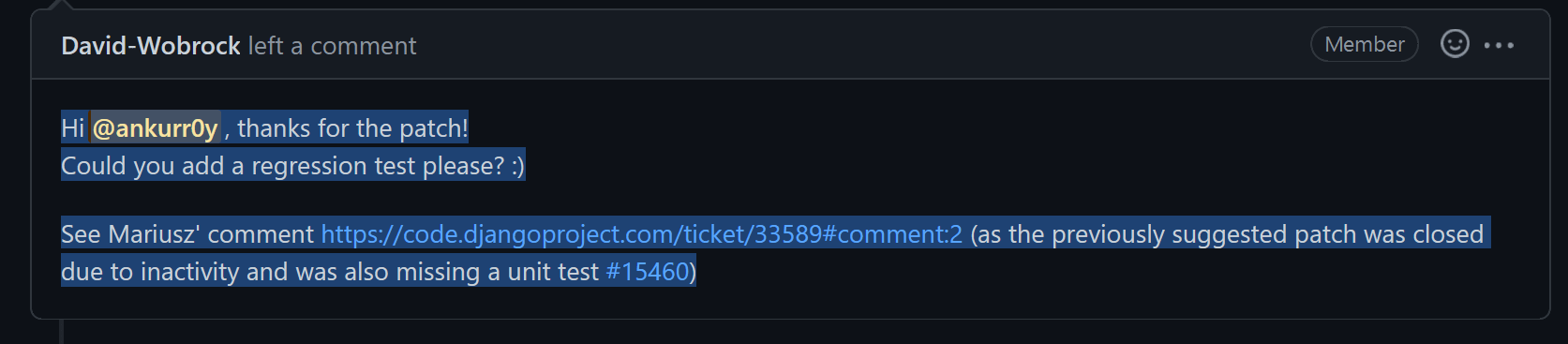
David Wobrock, who as you will find out is just an incredibly nice and helpful human being. He asks me to write a unit test for the code. So, I figured out how to do that.
Step 6: Add unit test
This is what I added:
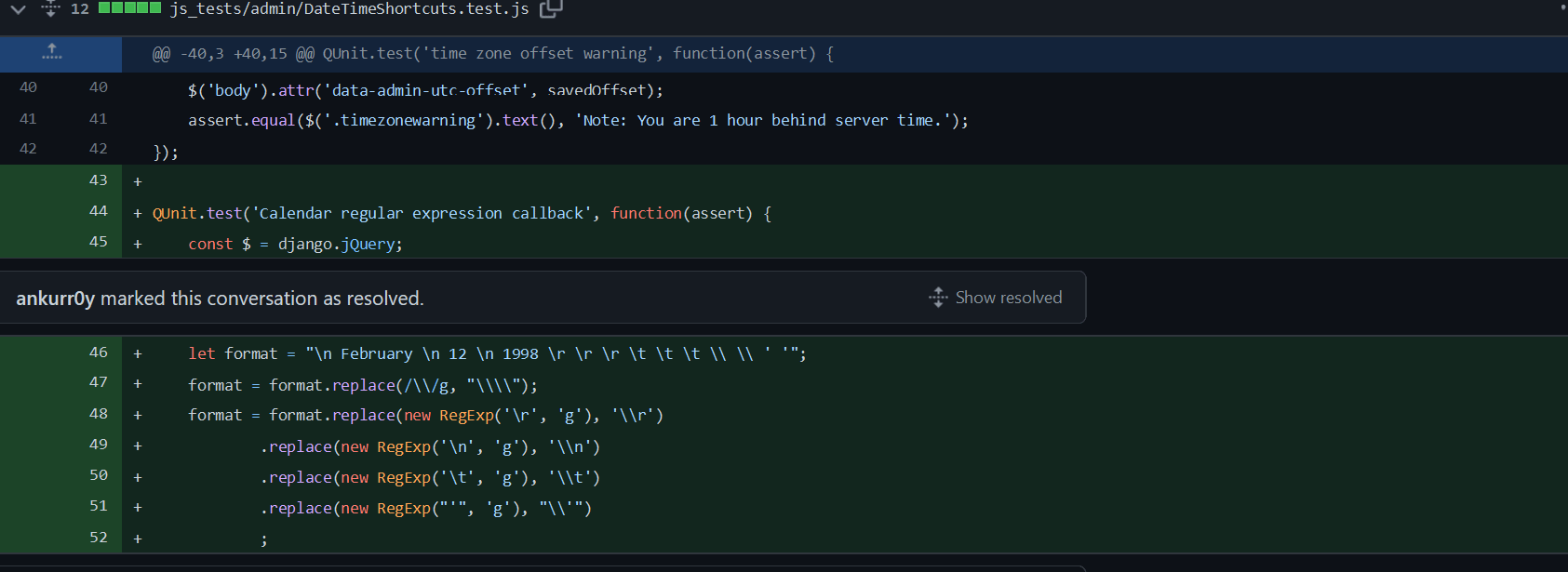
I think it covered all of the relevant issues. But, I needed to refine it further as Mr. Wobrock pointed out.
Step 7: More feedback
Here is the conversation we had:
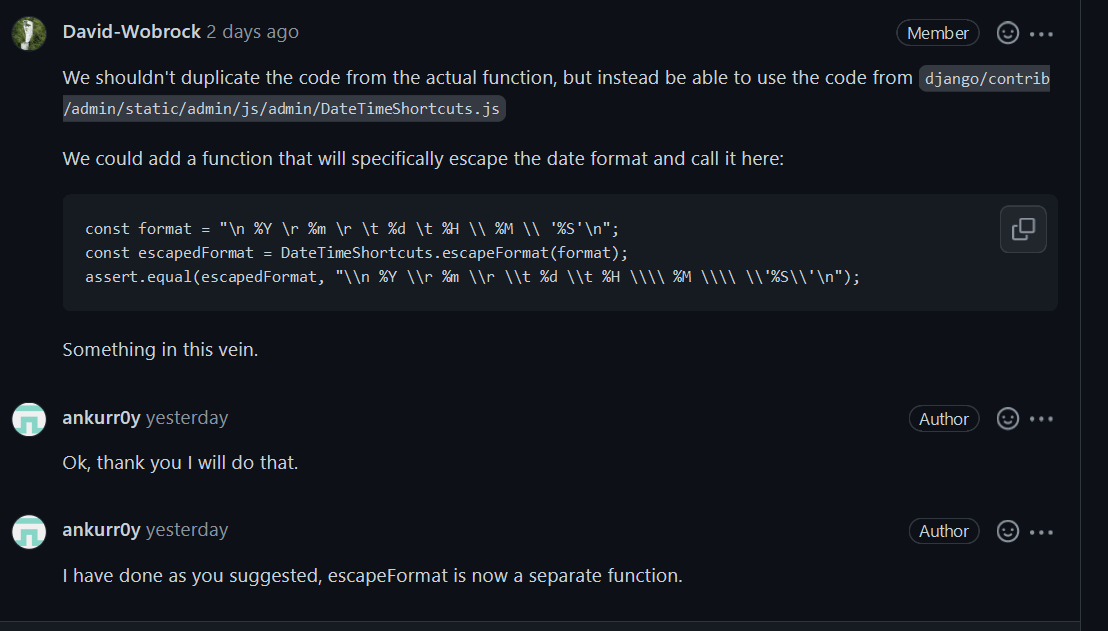
It was actually a really good idea making the escapeFormat thing a separate function. It practically solved just about all of the problems I was having with this ticket. Shows you how helpful a community this is.
Step 8: Get your pull request approved
So, yeah. Got everything approved with the help of David and I got this little message:

A job well done is what I’ll say. It was such a nice feeling getting to do this. Feeling like I’m contributing to something good. Makes you wanna do more of this stuff, y’know? Makes you feel like you’re a part of the community.