

A Google Workflow is an oft underused tool that offers a lot of automation potential. The API integrations into it are entirely code-based which scares some people compared to some other similar services which use more visual editors. There are visual editing tools to make Workflows fun, but that’s not the part I will focus on today. You see, I’ve had a massive challenge on how to run workflows: and that’s how to run them (just hit the play button right, how hard can it be?).
Workflows
Well, a typical Google Workflow (as in the default example) comes about like this:
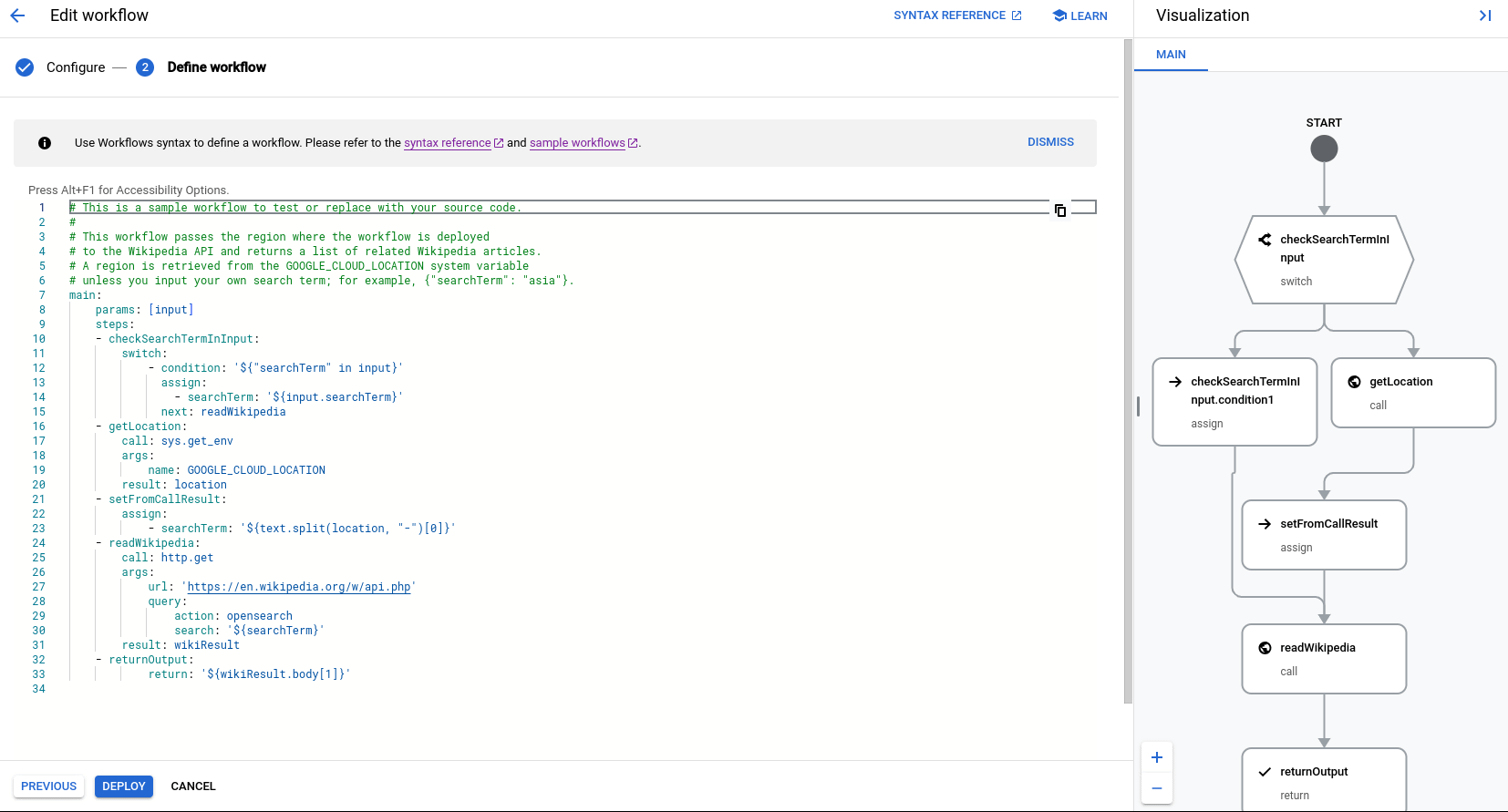
This one will pretty much just extract some keywords from Wikipedia and bring them out. When you deploy this workflow and execute it - which you can do from the console to test it - you’ll get something like this:
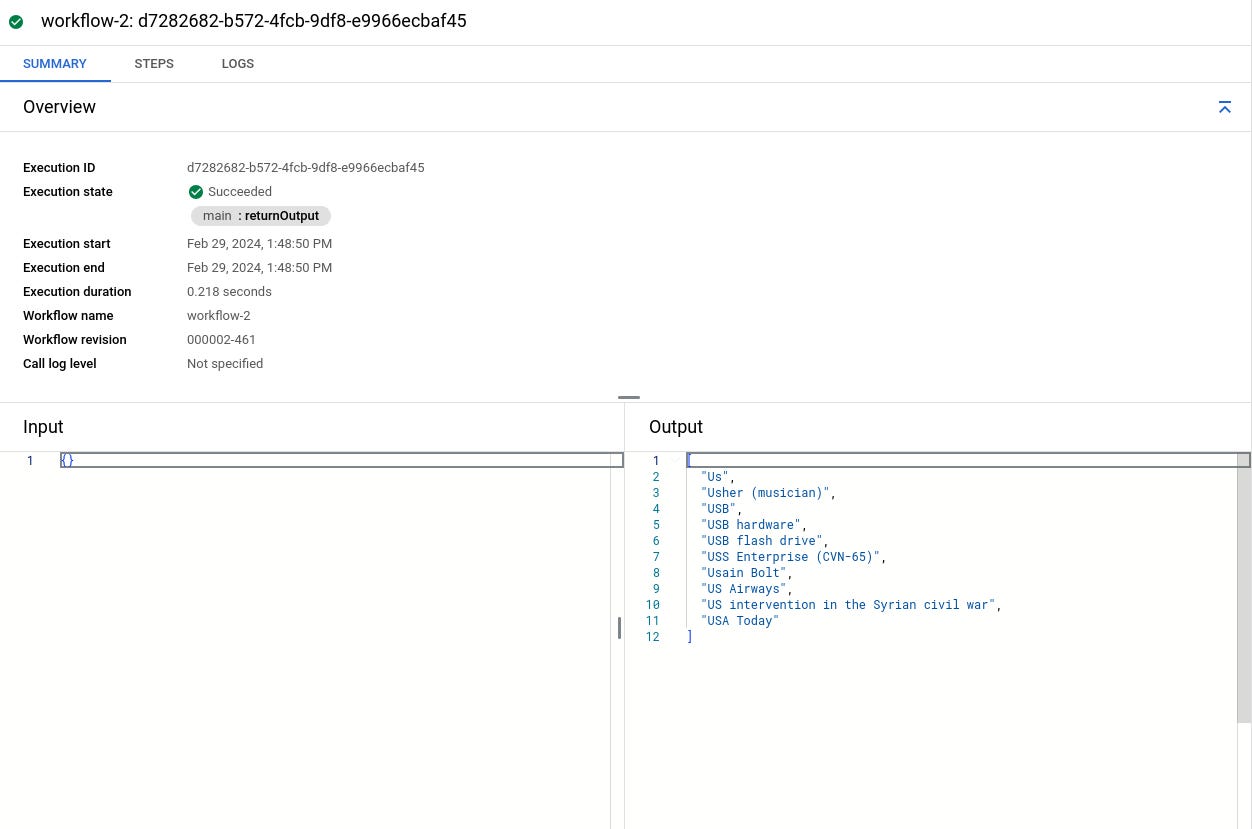
But that’s again a closed loop, to interact with it, you need to trigger the Workflow. I was going to put down a list of triggers, but that would ruin the SEO of this article with its length. So, look it up yourself, but remember to have nothing else planned for the day.
Trigger Workflow with Pub/Sub
Do this. I’m not putting anything else in this blog. I’m cutting through everything and I’ll just tell you this is the right choice for 99% of Workflow triggers. That’s not saying it should be the only way, I’m saying for a lot of things it is the only way. Here’s the other things I tried:
SDKs: Parameters are only available in NodeJS and Java versions (very random) and the documentation is a little wonky. As in the code there doesn’t work unless you deploy it from the command line from the sample repositories.
API endpoints: This one takes a lot of effort. You need OAuth2 authorization on an application and that doesn’t always work when your application is an internal solution or a solution that can’t use these authorizations.
What can you do? Pub/Sub, it’s simple and pushed by every cloud provider, you can attach your Pub/Sub as a trigger to execute a workflow whenever it needs to be used. And you can trigger the Pub/Sub pretty much with any sort of API call/SDK/SMS/phone call/Instagram post you want.
Just edit your workflow and add EventArc as a trigger (also remember to have appropriate service account permissions everywhere):
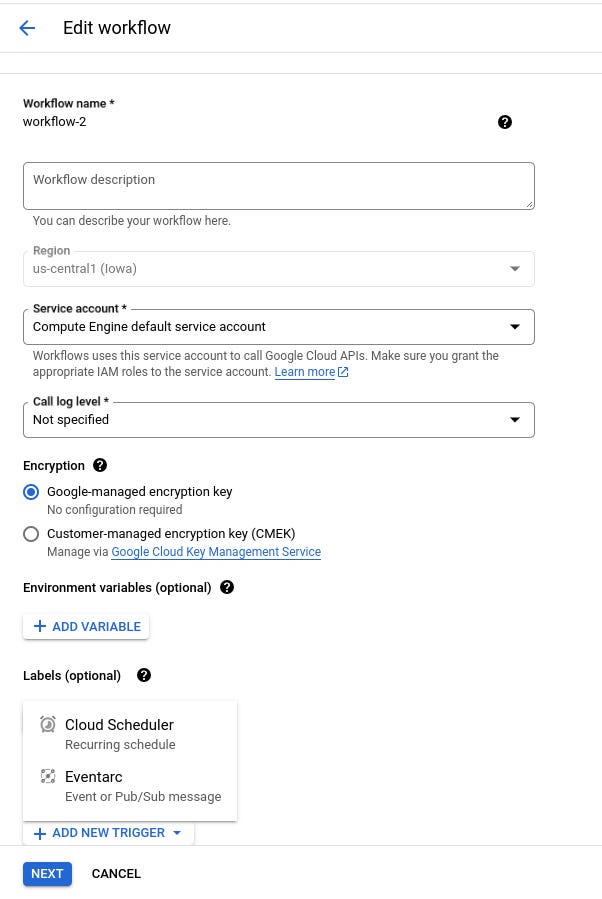
Now, create the trigger using the publishing of a message to a Pub/Sub topic:
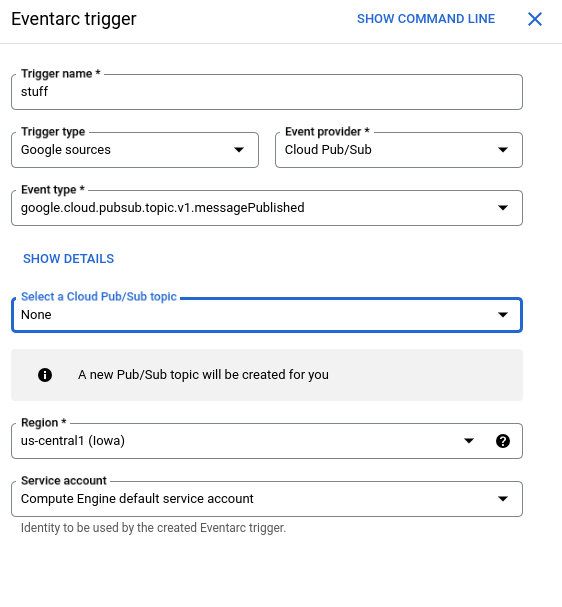
Notice the creatie trigger name there. It will create a topic for you if you haven’t done so yourself. After that, whenever you publish a message into that topic, it will trigger the workflow. Adjust both according to the JSON data and you’ll do just fine.